DryRun
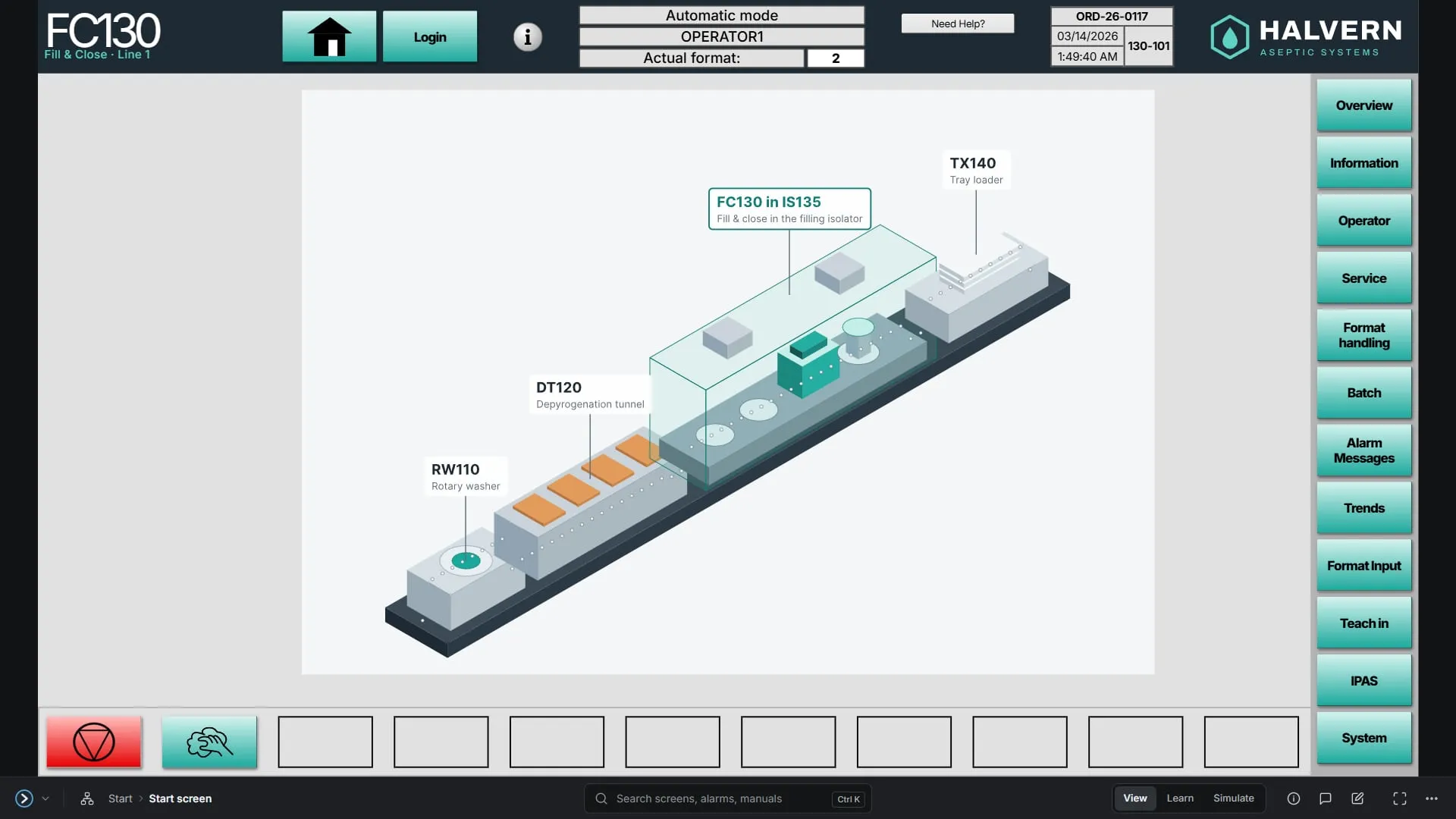
A training platform built around faithful web rebuilds of machine HMIs. Explore every screen, run the machine in simulation, or let learn mode explain it, all away from the real line.
Overview
(01)Machine HMIs run live, validated equipment. New operators can’t press around to find out what a screen does, so most learning happens from documents or over someone’s shoulder.
Rebuild each HMI in the browser at the real panel’s size and look, run a simulated machine behind it, and build the explanations into the screen itself.
All five HMIs of one line are live: 498 screens, every one navigable. The flagship, the FC130 fill & close, is the full demo, with learn mode, Simulate, its manual and a guided tour.
- 01
A machine per visitor
Simulate runs the machine in the browser: control voltage, emergency stop, guard doors, drive and alarms. Each visitor has their own, so a learner can break it without breaking anyone else’s.
- 02
Learn mode
Every part that can be explained is outlined. A tap explains it in the side panel, so nothing covers the screen being learnt.
- 03
Screen maps
Each section of the HMI laid out the way the machine lays it out, with the exact button presses that reach any screen.
- 04
One search
Screens, controls and manual pages, from one field and across every HMI.
- 05
Comments and notes
Pin a comment to a control for the team, or keep a private note. They stay on their control when the screens are redesigned. The public demo shows a read-only selection.
- 06
Manuals and info screens
Each screen’s info page opens its page of the operating manual, written for the flagship and one click from the question.
Screens
From the demo buildsHow it’s built
(02)- 01Figma
Drawn screen by screen
Each HMI is drawn in Figma from a shared Kit: one library of components and tokens for every machine.
- 02Pipeline
Compiled to data
A pipeline pulls the screens, compiles them to typed content, and checks every key, link and label before anything is written.
- 03Browser
Rendered and run
The app draws each screen at the real panel’s size and look, with the simulation, learn mode and tools around it.
- TypeScript
- Next.js
- React
- Tailwind CSS
- Zod
- Figma REST API
- Vitest
- Playwright
- Better Auth
- Postgres
- Vercel
The line
(03)DryRun’s HMIs belong to one aseptic vial line, so a learner can follow a vial from washing to the tray. Every machine’s screens are live; the flagship, the FC130 fill & close, carries the full demo.
Built for regulated environments
The HMIs are modelled on real equipment, so nothing real is allowed in. The structure and behaviour that make them useful for training stay; everything that identifies a company, site or process is replaced.
- A fictional maker, Halvern Aseptic, and a fictional line
- Every machine, value, tag, alarm and document invented
- All help content written by hand, none taken from a real manual
- An automated check on every commit that blocks real-world identifiers